Free
Core wiring diagram capabilities, ideal for builders getting started.
- Price
- $0
- Card
- Not required
- Includes
- Core wiring diagram capabilities
Software & pricing
01Plans
The free plan includes core wiring diagram capabilities and is ideal for builders getting started. When you’re ready, upgrade to Pro for a complete suite of tools. No credit card required to start.
Core wiring diagram capabilities, ideal for builders getting started.
A complete suite of tools for avionics professionals and homebuilders.
SkyWire Studio Pro as a desktop app, with native DXF import. Register now for early access.
Planning a new panel?
Plan a Garmin AXIS flight deck free with our AI Flight Deck Builder — then turn the finished build sheet into wiring diagrams here.
Need it drawn for you?
If you’re looking for flat-rate pricing on our wiring diagram drafting services instead, click here.
02Pricing
Important
Please create a free SkyWire Studio account before starting a Pro trial or subscription. This ensures your subscription is properly linked to your user profile.
Checkout is secured by Stripe.
03Early access
Avionics drawings, built where you work. SkyWire Studio Desktop is Pro on your PC: draw LRUs, connectors, shielded and twisted wires and cables across multiple sheets, then send the wire list and BOM to a spreadsheet and the sheets to PDF. Already drawing on the web? Import those drawings straight in.
SkyWire Studio Desktop
New · DXF import
Place a drawing from your CAD application on a sheet, layers and all. Then select its shapes and create a component from the selection: a couple of steps turns them into real, editable components.
ASCII DXF. Save DWG files as DXF first.
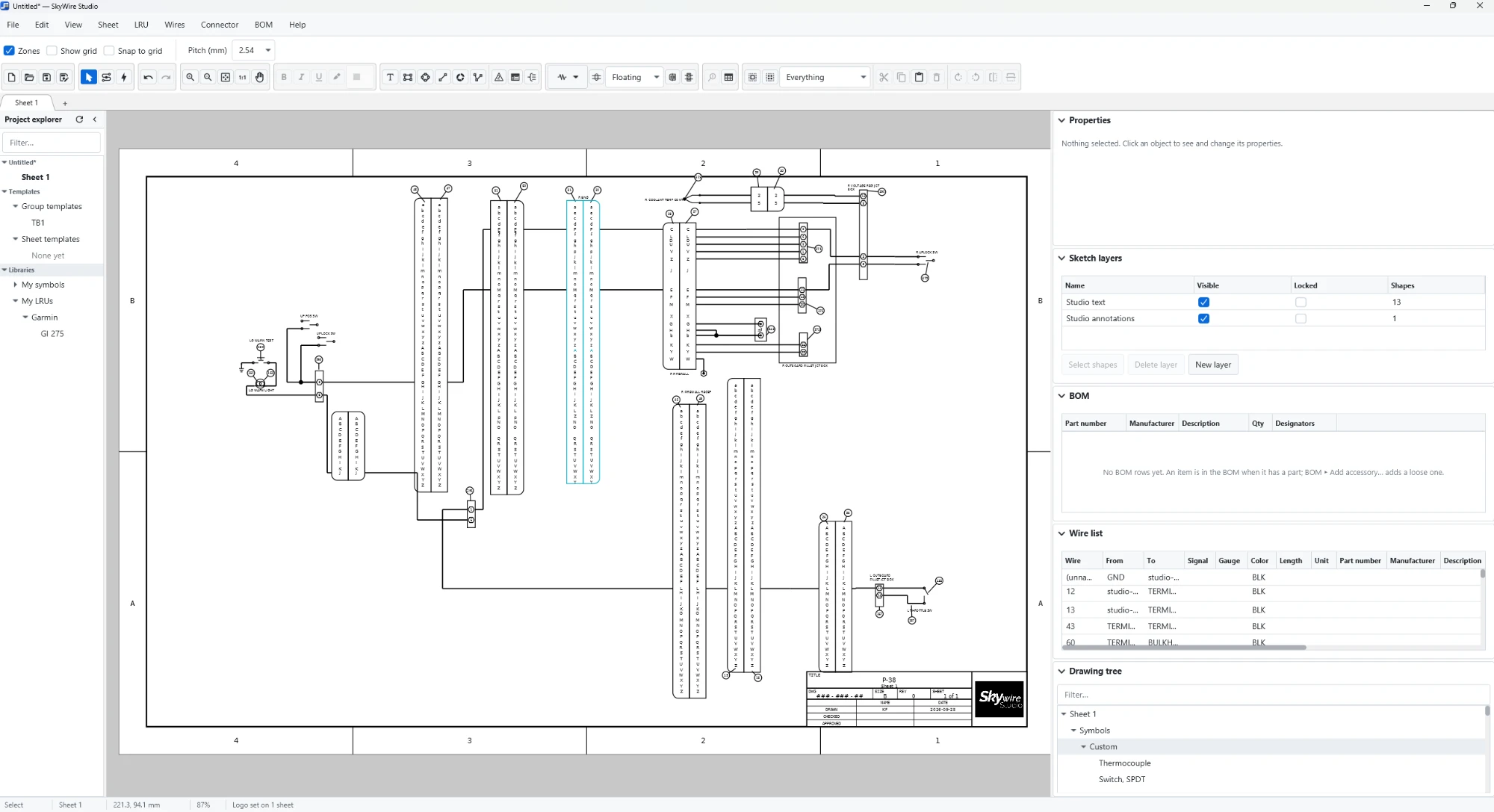
Fig. 1 — SkyWire Studio Desktop, early access
Also in SkyWire Studio Desktop
LRU builder
Define a whole LRU with its connectors and pins in one dialog, and paste pin lists from a spreadsheet.
One device, many sheets
Draw the same device on several sheets and show on each only the pins you need there.
Live BOM
The parts list builds itself from the drawing, with the quantity and every designator of each part.
Revisions
Release a labeled revision; a frozen copy of the whole drawing stays inside the same file. Or connect to Subversion for complete control over your revision history.
And way more: custom symbols, cross-sheet wires, shields, twists and cables, wire color codes, multi-sheet PDF export, and drawings saved as plain-text files you keep on your own computer.